








sfm compile: Behind every convincing Source Filmmaker scene is a less visible process that determines whether custom models, textures, animations, and maps actually work. To someone opening SFM for the first time, compilation can seem like an obscure technical ritual. Yet, once understood, it becomes less mysterious: it is the bridge between creative assets and the Source engine environment in which those assets must operate.
Why SFM Compile Matters to Digital Filmmakers
Source Filmmaker was designed around Valve’s Source engine, and that heritage shapes the way creators build scenes. Unlike modern creative applications that often make importing assets feel almost instantaneous, SFM relies on established Source formats and compilation tools. Consequently, a model made in Blender or another 3D package cannot simply be treated as a finished SFM asset. It needs to be prepared for the engine first.
From Creative File to Engine-Ready Asset
At its simplest, sfm compile describes the process of converting prepared source assets into formats that Source Filmmaker can use. A typical custom-model workflow moves from a mesh and supporting data toward SMD or DMX files, then through a QC script and the Source model compiler. The resulting MDL and supporting files become the practical form that SFM can load. Therefore, compilation is not really a separate creative discipline; rather, it is the technical stage that allows an artist’s original work to enter the filmmaking environment.
The QC File Is the Blueprint Behind the Build
One of the most important elements in the process is the QC file. This plain-text script provides instructions to the Source model compiler, describing elements such as the model name, geometry, material locations, animations, and, when necessary, collision information. In other words, the QC acts much like a production blueprint. The mesh provides the physical substance, while the QC explains how that substance should be interpreted. As a result, a carefully organized QC file can make troubleshooting considerably easier.
Understanding the Files Created During Compilation
A successful model build normally produces a group of related files rather than one isolated object. The MDL contains the principal model information, while VVD and VTX files support vertex and rendering data; a PHY file may also appear when physics information is included. Meanwhile, textures belong to the Source material system and commonly involve VTF texture files together with VMT material definitions. This division can initially feel confusing. However, it reflects the Source engine’s long-established asset architecture and becomes logical with experience.
| File | General role |
|---|---|
.mdl | Main compiled model file |
.vvd | Vertex and related model data |
.vtx | Optimized rendering information |
.phy | Physics or collision information when included |
.vtf | Texture data |
.vmt | Material instructions |
.bsp | Compiled map format |
The Tools That Turn Preparation Into a Working Model
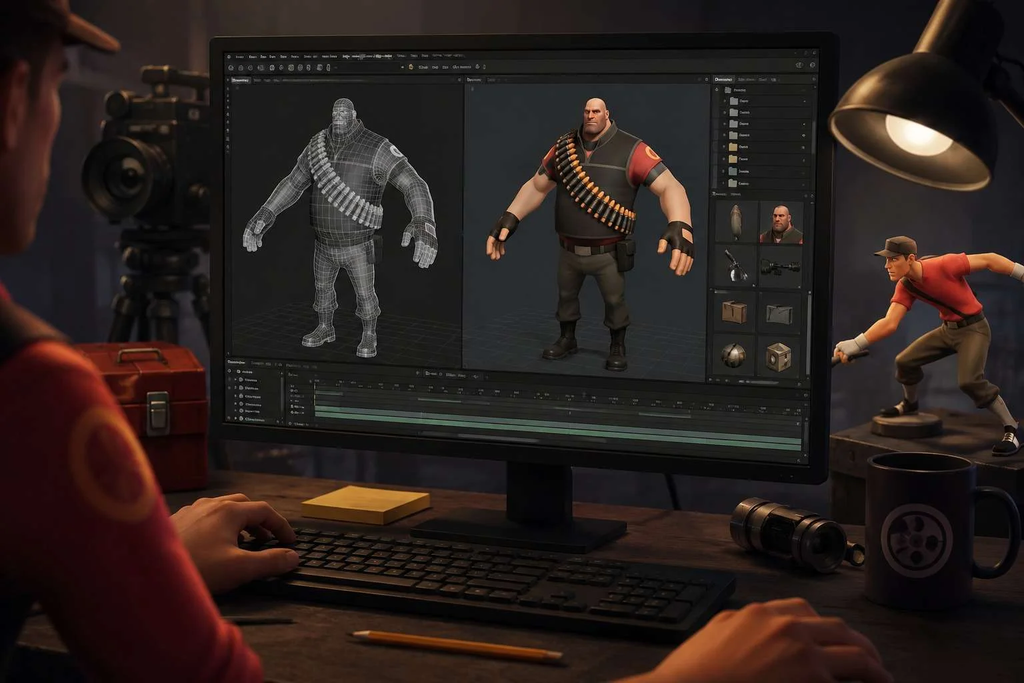
The compilation workflow typically involves several specialized tools. StudioMDL is the core Valve compiler for models, while Crowbar provides a convenient graphical interface for Source-engine compiling and related workflows. Artists may also use Blender with Source-export tools, alongside utilities for preparing textures and editing QC scripts. Importantly, the exact combination depends on the asset and workflow. Nevertheless, the underlying principle remains consistent: each tool handles a particular stage rather than replacing the entire creative pipeline.
Where Blender Fits Into the SFM Compile Journey
For many contemporary creators, the process begins far away from SFM itself. Blender can be used to model an object, construct a character, establish a skeleton, paint or assign materials, and prepare animation data. Afterward, Source-compatible exports such as SMD or DMX can be created using appropriate tools. The important distinction is that Blender remains the creative workspace, while compilation prepares the resulting asset for Source. Thus, artists move between two different kinds of thinking: designing what something should be and specifying how the engine should understand it.
Textures Are a Separate Part of the Puzzle
A beautifully modeled object can still appear broken when its material paths are incorrect. Source-based workflows commonly convert image textures into VTF files and use VMT files to describe how those textures should be interpreted. Consequently, texture troubleshooting often has little to do with the model’s geometry itself. A misplaced folder, incorrect material path, or inconsistent filename can produce the familiar purple-and-black appearance associated with missing textures. Learning to distinguish geometry problems from material problems is therefore one of the most useful early skills for SFM creators.
A Typical Compilation Workflow
The process becomes easier when viewed as a sequence rather than a collection of mysterious files. First, an artist prepares the model and checks its geometry, UVs, skeleton, and animations. Next, the necessary source files are exported. Then a QC script establishes the build instructions. After that, StudioMDL or a tool such as Crowbar performs the compilation. Finally, the generated files are placed in the appropriate SFM directories and tested inside a scene. If something fails, the creator returns to the relevant stage rather than rebuilding everything from scratch.
When a Model Refuses to Load
Few SFM experiences are more frustrating than spending hours on a model only to discover that it does not appear correctly. Sometimes the problem is a missing supporting file; elsewhere, the issue may be an incorrect path, malformed QC instruction, incompatible export, or improperly prepared material. Therefore, troubleshooting should begin systematically. Check the compiler log first, then verify filenames and directories, followed by materials, model structure, and animations. This approach replaces guesswork with diagnosis, which is especially valuable when several small errors can produce similar symptoms.
The Human Side of Technical Troubleshooting
There is also a cultural dimension to compilation that is easy to overlook. SFM communities have grown around people sharing models, tutorials, fixes, scripts, and experiments. Consequently, learning to compile is rarely a completely solitary activity. A creator may begin with a broken asset and end up understanding file structures, animation systems, and Source conventions simply because a particular scene demanded it. The technical obstacle becomes part of the education. In that sense, compilation represents an interesting feature of digital filmmaking: creativity often advances through encounters with limitations.
Why Older Technology Still Has Creative Value
SFM’s technical foundations belong to an earlier generation of real-time filmmaking tools, but that does not make its workflow irrelevant. In fact, the limitations can encourage a more deliberate relationship with digital assets. Creators must understand where models come from, how materials are organized, and how animations connect to a skeleton. Rather than hiding those mechanisms behind a modern import button, the pipeline exposes them. As a result, SFM can teach lessons about digital production that remain useful beyond the software itself.
SFM Compile as a Lesson in Digital Craft
The deeper significance of compilation is that it demonstrates how digital art depends on invisible infrastructure. Viewers see a character walking through a carefully lit environment, but they do not see the files, scripts, paths, exports, and compiler decisions underneath that image. Nevertheless, those technical layers determine whether the final performance works. For creators, understanding them can transform frustration into control. What initially looks like computer maintenance becomes part of the craft, much as editing, lighting, sound design, and camera work are part of filmmaking.
Building Better Habits Before You Compile
Good organization can prevent many compilation problems before they occur. Keep model, material, animation, and project directories logically structured, and use consistent naming conventions throughout the workflow. Likewise, avoid changing filenames casually after references have already been established in QC files or materials. Most importantly, test simple assets before attempting an elaborate character with multiple sequences and complex physics. By introducing complexity gradually, creators can identify which stage causes a problem. Over time, this disciplined approach makes compilation feel less like debugging and more like a predictable production routine.
What Beginners Should Learn First
Someone new to SFM does not need to master every Source-engine command immediately. Instead, the most useful foundation is understanding the relationship between source assets, QC instructions, compilation, and the final SFM files. From there, creators can gradually explore animation sequences, physics, materials, LODs, and more advanced model features. This progression matters because technical knowledge becomes easier to retain when every concept has a practical purpose. Ultimately, the goal is not to memorize commands but to understand the journey an asset takes before it becomes usable.
The Difference Between Making and Preparing
There is a subtle distinction between creating a 3D asset and preparing it for an engine. Modeling is concerned primarily with form, structure, and visual design. Compilation, by contrast, is concerned with compatibility, organization, and interpretation. Yet the two stages are deeply connected. A technically impressive model may fail because its Source-specific preparation is incomplete, while a relatively simple model can work beautifully when its pipeline is carefully managed. Therefore, successful SFM work depends not only on artistic ability but also on understanding how creative decisions survive the transition into the engine.
Common Questions About SFM Compile
Is SFM Compile a separate program?
Not necessarily. The phrase generally refers to the compilation process used to prepare Source-compatible assets. StudioMDL is the underlying Valve model compiler, while Crowbar can provide a more accessible interface for compilation and related Source workflows. Therefore, when someone searches for “SFM compile,” they may be looking for either the process itself or instructions for using the tools involved.
What is a QC file used for?
A QC file tells the model compiler how an asset should be constructed. It can identify the output model, source geometry, materials, animation sequences, and other model-related settings. In practical terms, it serves as a set of instructions connecting exported asset data to the final compiled model.
Can SFM directly import a Blender project?
A Blender project file is not itself a Source-engine model format. Typically, the asset must be exported into a compatible format and then processed through the Source compilation workflow. This is why understanding the transition from Blender to SMD or DMX and then to compiled model files is so important for custom-asset creators.
Why do textures sometimes appear purple and black?
That appearance commonly indicates that the expected material or texture cannot be found or loaded correctly. Checking the VMT and VTF locations, material paths, and filename spelling is a sensible starting point. Because Source separates model and material systems, a model can compile successfully while still displaying incorrectly because its texture setup is incomplete.
Is Crowbar necessary?
Crowbar is not the only route to compilation. StudioMDL is the underlying Valve tool, and experienced users can work directly with it. However, Crowbar can make the workflow more approachable by providing a graphical interface around common Source-engine operations. The best choice depends on whether the creator prefers a visual workflow or direct command-line control.
Conclusion: The Invisible Craft Behind a Visible Scene
sfm compile may sound like a narrow technical search term, but it points toward something much larger in the culture of digital filmmaking. It describes the moment when an artist’s carefully constructed asset crosses from a creative application into an engine with its own rules, languages, and expectations. Although compilation can be frustrating, it also reveals how much craft exists beneath a finished scene. Once creators understand that hidden infrastructure, the process becomes more manageable—and the boundary between technical knowledge and artistic expression begins to disappear.